Zapier Tables

Designing Data Import to Drive User Adoption

Role

Product Designer

Industry

B2B / Startup

Duration

3 months
Problem / Opportunity

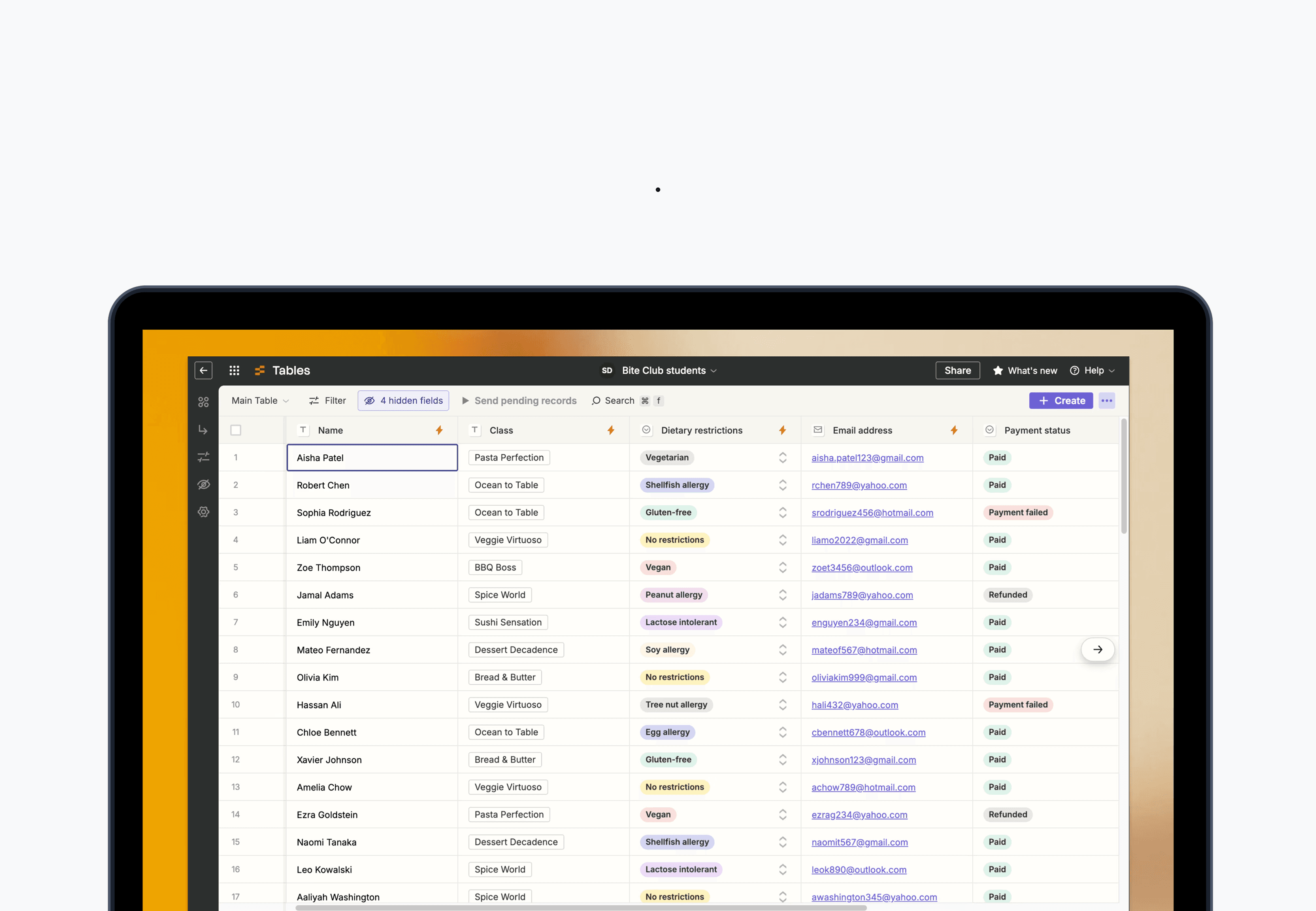
Zapier Tables had a 40% dropout rate during the "Create Table" flow—the primary barrier to new user activation. Users expected to import existing data from tools like Google Sheets and Airtable, but were forced to manually recreate their data structures from scratch. This directly impacted Zapier's multi-product growth targets.

My Role

Lead Product Designer owning discovery research, design strategy, and phased roadmap.

Research

  • Data analysis: Partnered with data team to pinpoint the "Create Table" modal as the key dropout moment

  • User interviews: Spoke with 20+ churned users to understand expectations and friction points

  • Competitive analysis: Evaluated UX, integrations, and import journeys across competitors; Competitive analysis revealed import functionality as table stakes—and opportunities to differentiate

  • Key insight: Users needed to bring existing data in, not start from scratch. Google Sheets and Airtable were their primary sources


Problem / Opportunity

Zapier Tables had a 40% dropout rate during the "Create Table" flow—the primary barrier to new user activation. Users expected to import existing data from tools like Google Sheets and Airtable, but were forced to manually recreate their data structures from scratch. This directly impacted Zapier's multi-product growth targets.

My Role

Lead Product Designer owning discovery research, design strategy, and phased roadmap.

Research

  • Data analysis: Partnered with data team to pinpoint the "Create Table" modal as the key dropout moment

  • User interviews: Spoke with 20+ churned users to understand expectations and friction points

  • Competitive analysis: Evaluated UX, integrations, and import journeys across competitors; Competitive analysis revealed import functionality as table stakes—and opportunities to differentiate

  • Key insight: Users needed to bring existing data in, not start from scratch. Google Sheets and Airtable were their primary sources


Design

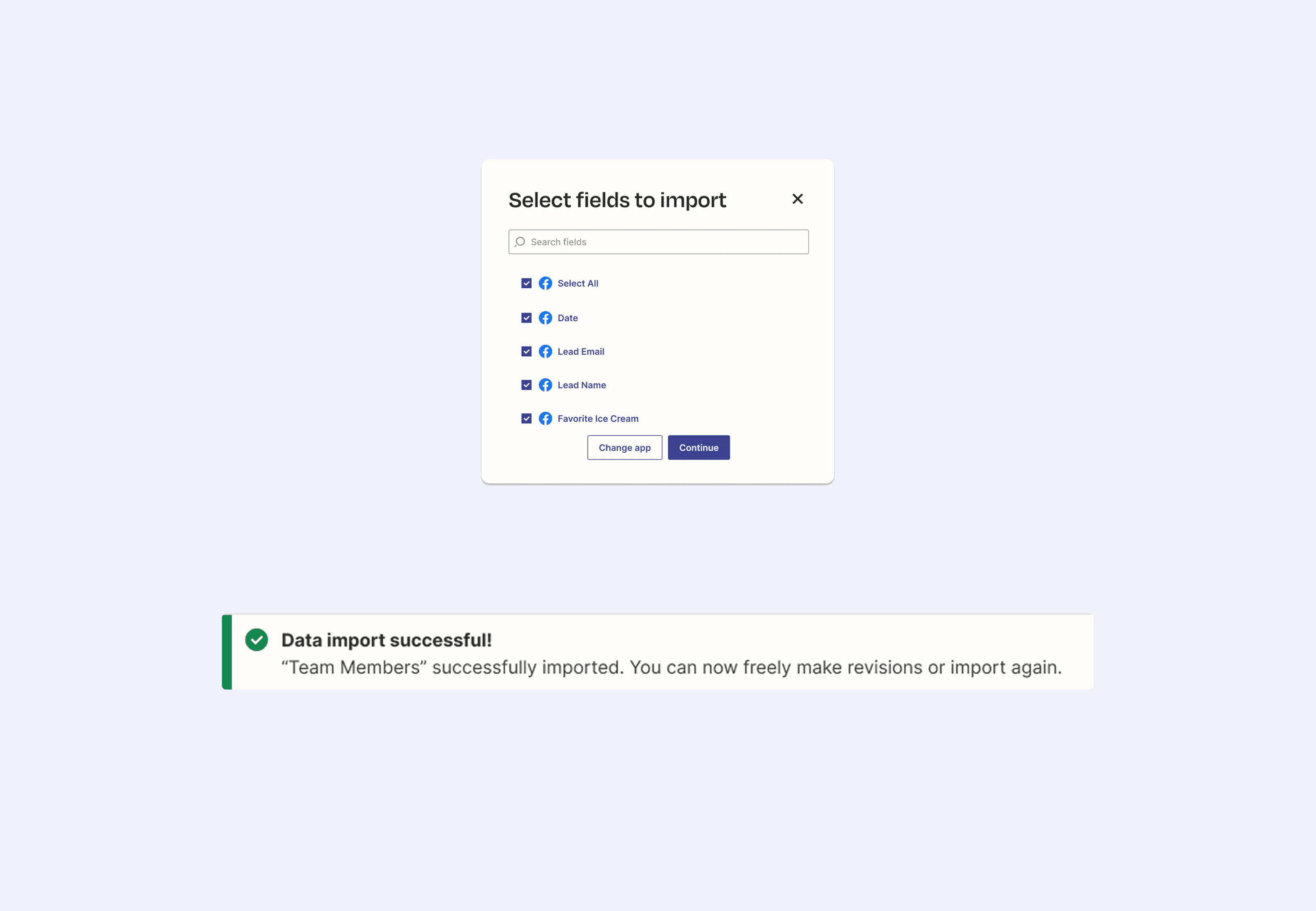
  • Journey mapping: Mapped the full import flow from source selection → auth → field mapping → completion

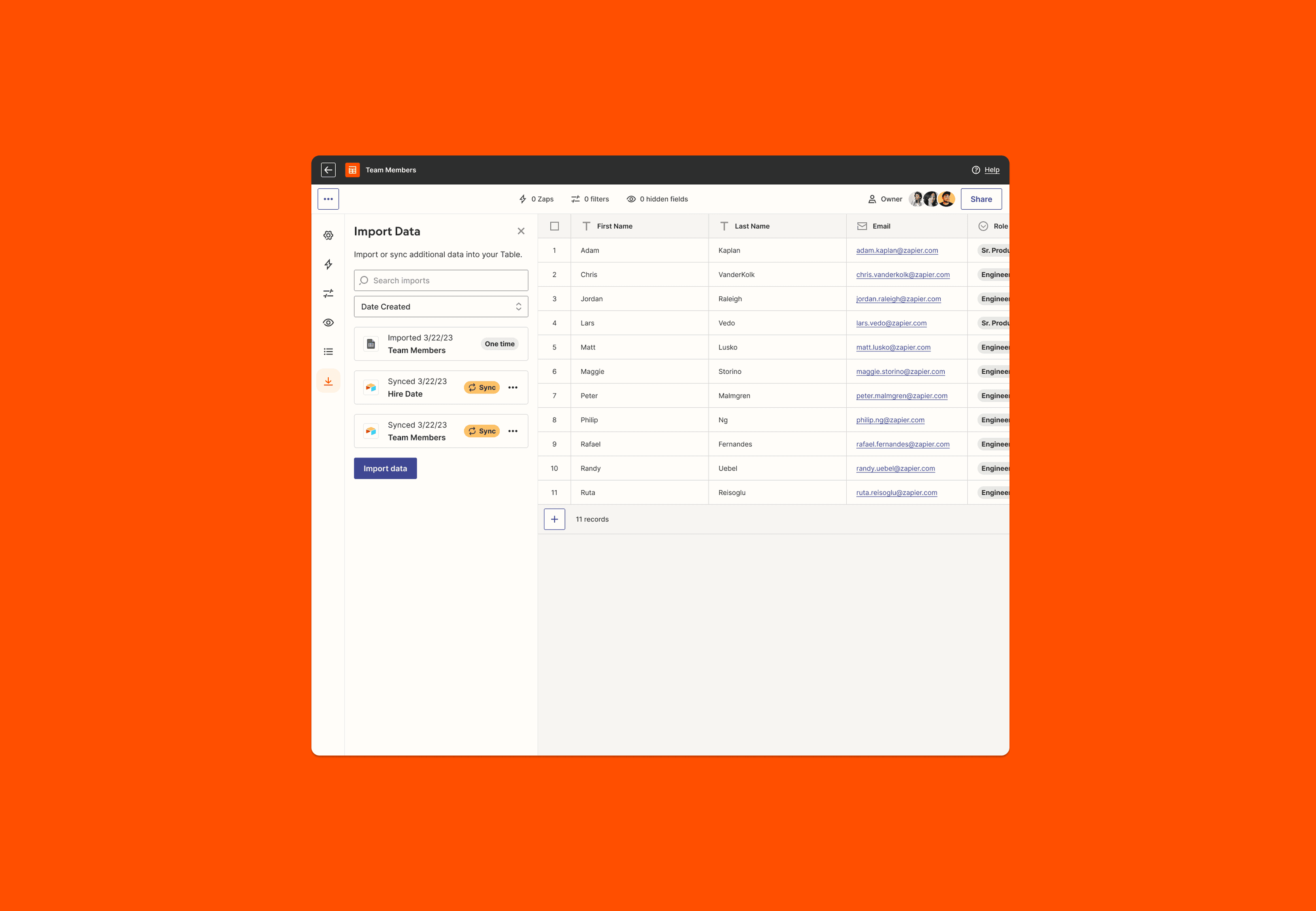
  • UI exploration: Explored two approaches—modal (faster to build, familiar) vs. sidebar (more scalable, better for future sync)

  • Engineering collaboration: Assessed technical constraints; sidebar had blockers for MVP

  • Strategic tradeoffs: Simplified data previewing since low-risk (new tables, not overwrites) and users could retry easily

Solution

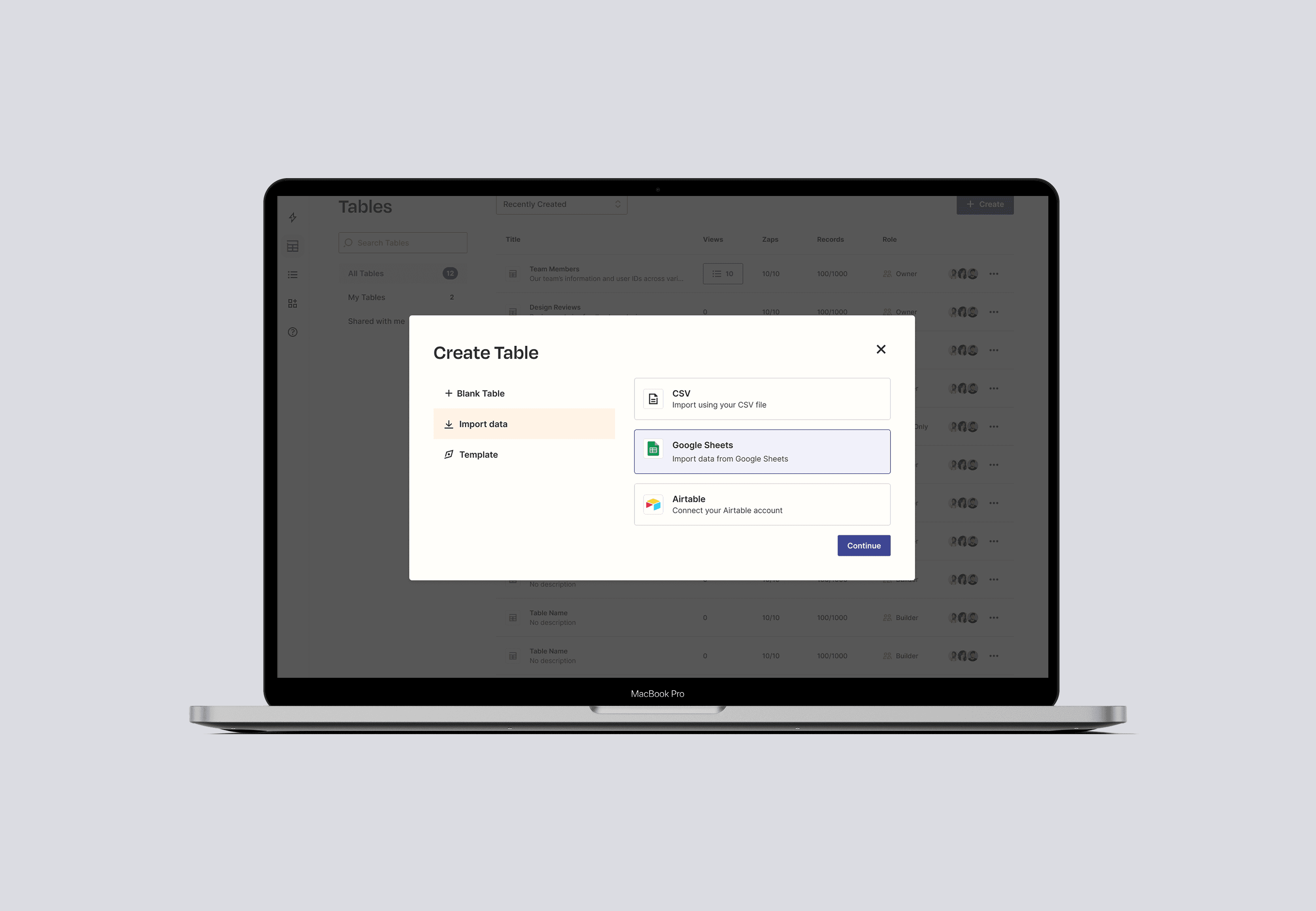
A modal-based import flow for Google Sheets, Airtable, and CSV as MVP—with a phased roadmap toward sidebar implementation and eventual sync capabilities. The streamlined import flow reduced friction at the primary dropout point.

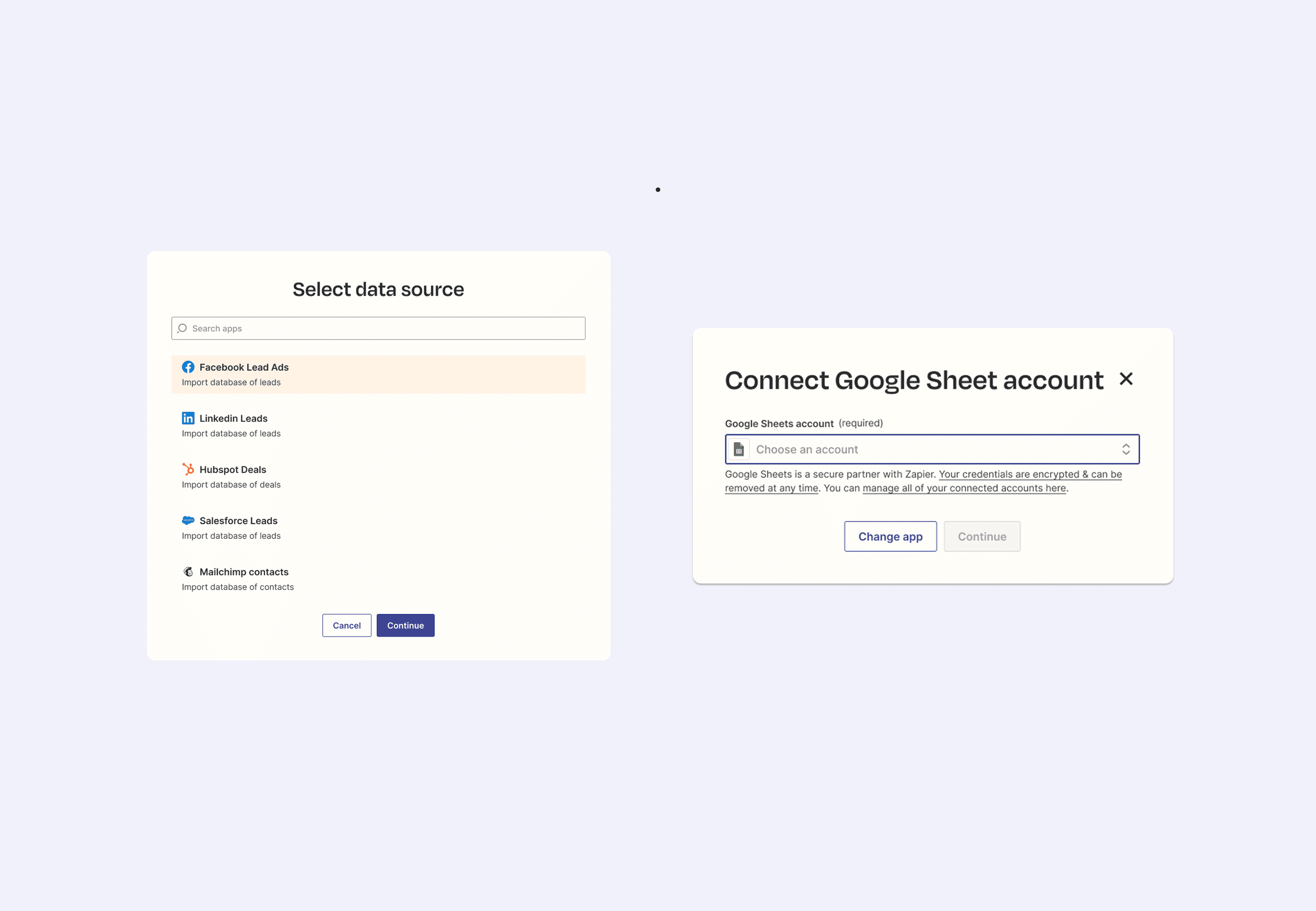
Select fields to import via modal
Import data menu via sidebar
Select data source to import via modal
Connect google sheets via modal
Set up source details via modal

Outcomes

  • 25% increase in data imports

  • 15% decrease in overall dropoff

  • 5% increase in active users

Success led to expanded scope: Excel, Gmail, and Slack integrations added, and my roadmap for sync functionality moved into active development.

Outcomes

  • 25% increase in data imports

  • 15% decrease in overall dropoff

  • 5% increase in active users

Success led to expanded scope: Excel, Gmail, and Slack integrations added, and my roadmap for sync functionality moved into active development.

Connect with me

Whether it's a role, a project, or just a chat—I'd love to hear from you.

Connect with me

Whether it's a role, a project, or just a chat—I'd love to hear from you.

Connect with me

Whether it's a role, a project, or just a chat—I'd love to hear from you.